
See your spending, bills and savings together.
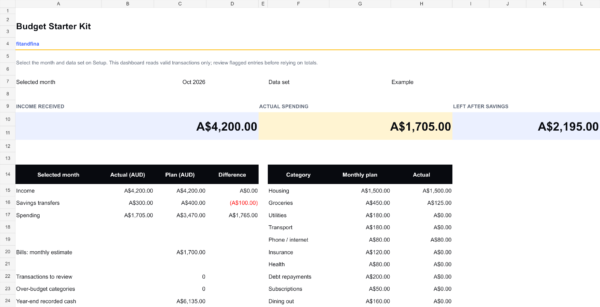
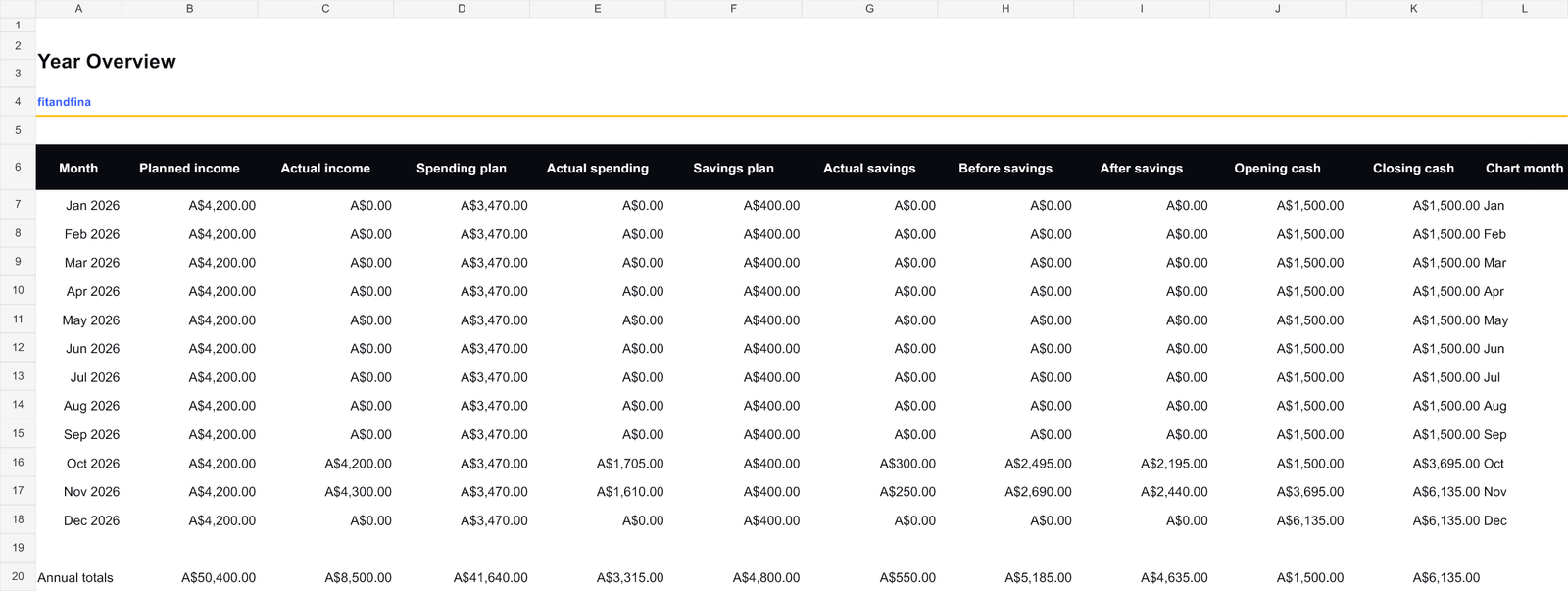
Start with a blank workbook, record your transactions and review your month in one place. The linked dashboard and annual overview help you see what happened before deciding what to change.
What makes this a useful upgrade?
- Follow the money: record income, expenses, refunds, savings and withdrawals with visible entry checks.
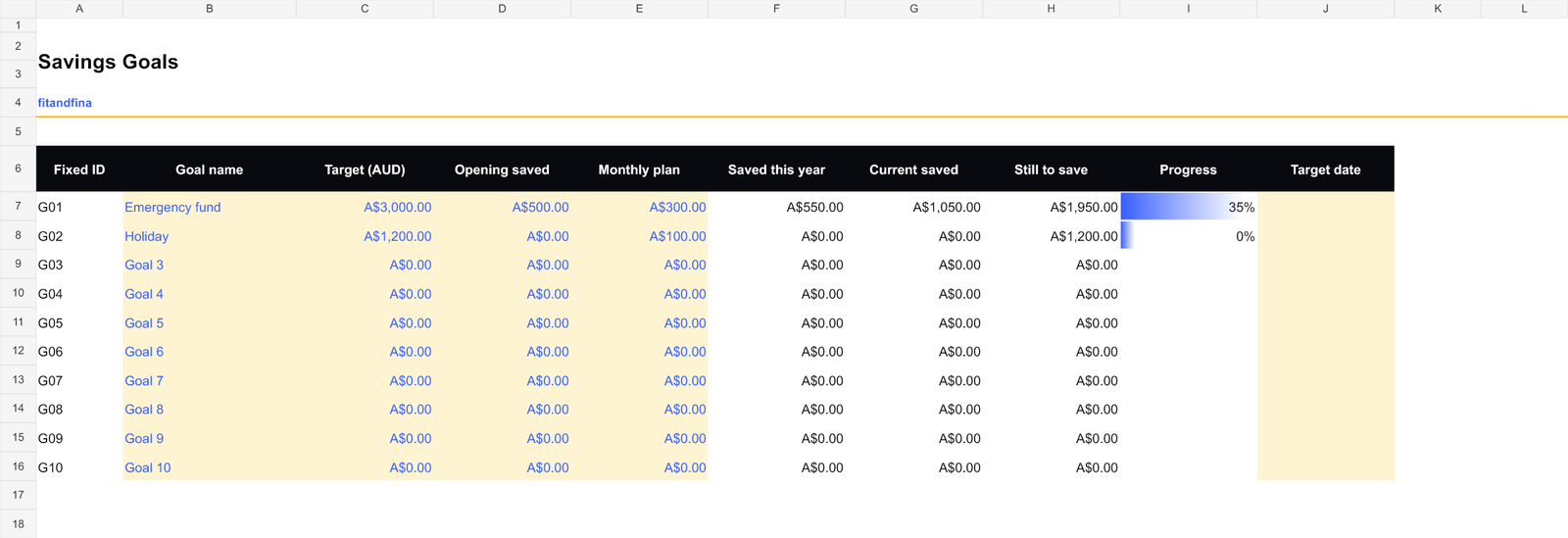
- Look beyond one month: review 12 months, 20 spending categories, 10 savings goals and up to 30 bill reminders.
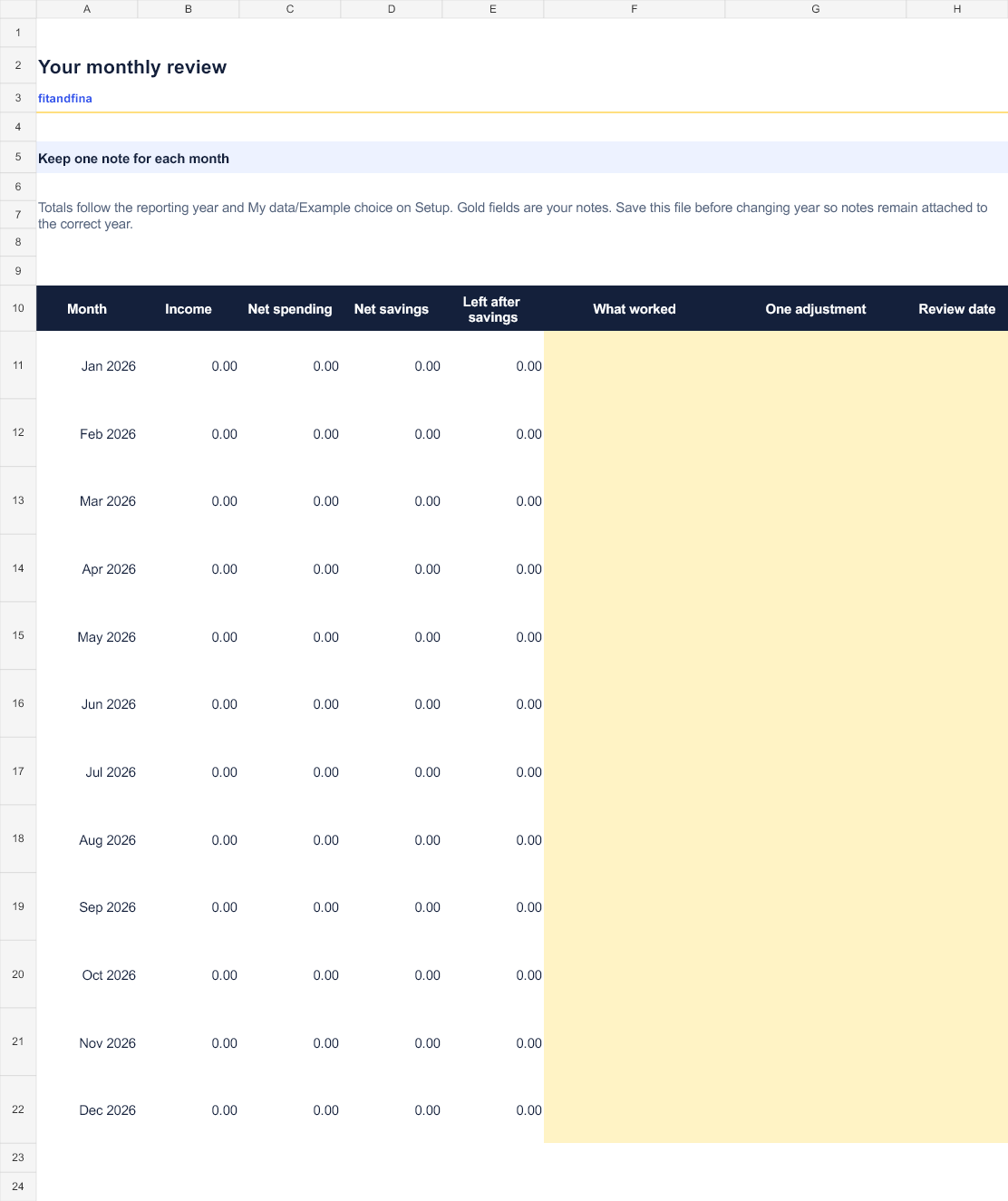
- Turn records into a review: use the worked example and monthly review prompts to choose one practical next step.
Inside your Excel kit
One .xlsx file with 11 worksheets: Dashboard, Setup, Year Overview, Income Planner, Categories, Savings Goals, Bills, Transactions, Getting Started, Worked Example and Monthly Review.
- 1,000 prepared transaction rows with filters, dropdowns and checks for missing or invalid entries.
- Linked monthly totals, category comparisons, annual cash-flow views and savings charts.
- A ready-to-use blank log, illustrated example and guided monthly notes.
- A single-currency label for AUD, USD, GBP, EUR, CAD or NZD. Amounts are not converted between currencies.
Start in three steps
- Open Getting Started, then choose your month, currency and opening cash on Setup.
- Set your income plan, category budgets, savings goals and bill reminders. Enter transactions in the gold cells.
- Review flagged entries, check the dashboard and complete your monthly review.
Monthly category budgets repeat across the reporting year. Bills are reminders, not bank alerts: record paid bills once in Transactions. Keep all amounts in one currency. Preview figures are illustrative examples.
Free or paid: choose what you need.
| Feature | Free budget template | Paid budget kit |
|---|---|---|
| Planning period | One monthly plan | Linked monthly and annual views |
| Recording | Planned and actual monthly amounts | 1,000 transaction rows with entry checks |
| Savings and bills | Savings contribution in your budget | 10 goals and 30 bill reminders |
| Guidance | Basic getting-started instructions | Worked example and guided monthly review |
Only need a simple starting point? Get the free budget template with email signup.
Good questions. Clear answers.
Which software do I need?
A current desktop version of Microsoft Excel. An Excel licence is not included. Google Sheets and mobile editing are not verified.
Can I use another currency?
Yes. Choose one supported currency label on Setup and use it for every amount. This does not convert money or change the shop’s AUD checkout price.
Does it connect to my bank?
No. You enter your own records. There are no macros, bank connections or automatic bill payments.
What happens after payment?
Your download is available on the order confirmation page and in your customer email. Includes 10 downloads with no expiry; save a personal copy.
Is there a subscription?
No. The listed price is a one-time purchase for the downloadable workbook.
What if I need help or a refund?
Contact fitandfina with your order number. See the refund policy for applicable terms.
Build a clearer record of your money.
A$29 once. Desktop Excel workbook. No subscription or physical delivery.